
I hate the idea of throwing away an old phone, just because it’s not the latest tech or that it doesn’t have enough memory for the apps I use. So when I found this app that can turn it into a gaming machine I had to give it a try. (more…)

Internet-based television is quickly replacing traditional cable in the United States. IPTV (Internet Protocol Television) allows users to stream live TV, movies, and on-demand content over the internet instead of relying on satellite or cable.
In the case of Epic v. Google, the jury on Monday announced its decision in December 2023, determining that Google made its Google Play app store and Google Play Billing service into an unlawful monopoly. This was a surprising turn since almost all of what Google does is meant to dominate whatever market they’re in.
(more…)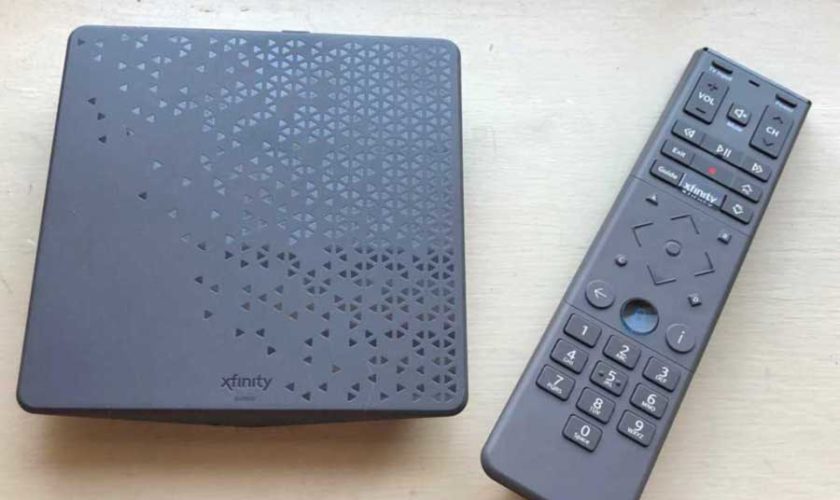
In order to stem the tide of subscribers cutting the cord of Cable Internet Xfinity has created their own streaming device to offer apps, service, and content all in one place. How does it stack up against the competition?
The Xfinity Flex is a TV streaming device offered free-of-charge to Xfinity internet-only customers. It streams on-demand television shows and movies as well as some live streaming content. Streaming customers of Netflix, Hulu and Amazon Prime Video can access their subscriptions on their televisions through this Comcast device.
In short, Flex lets you gather all your favorite streaming apps into one dashboard.
The Flex also lets Xfinity customers use their TVs to control other Xfinity services, such as parental controls for the internet and in-home security (if they use Xfinity Home).
You must be an Xfinity internet subscriber to get access to the Xfinity Flex. This device is not for sale on the open market and isn’t compatible with non-Comcast internet service.
Contact Xfinity or log into your Xfinity account to request a Flex device for your account.
So is there a catch?
Flex is not going to bring new customers to Xfinity because it’s an exclusive device. It’s designed to make current subscribers happy enough to not move to another service or device.
Comcast is keeping customers within its content ecosystem so you’ll be more inclined to rent movies, subscribe to HBO or even opt into additional Xfinity services such as cable TV or home security.
It’s also a great way to promote NBCUniversal-related content, such as the Peacock streaming service (subscription required for premium content).
Enjoy download speeds up to 100 Mbps for only $29.95/month or see if you qualify for free Xfinity Internet service through the Affordable Connectivity Program (ACP). Explore now!The good news is that many popular streaming options are already loaded on the device. When you turn on the Flex device, you’ll instantly have access to the following:
You also can stream music with the Flex, using popular services like Pandora, iHeart Radio, YouTube and Amazon Music.
In 2021, the Xfinity Flex started adding some live TV streaming services, such as YouTube TV, as apps available on the device. That’s a change for a company that has an incentive to funnel existing customers to traditional cable TV.
The bad news is that you’re out of luck if you prefer a streaming service that’s not preloaded on the Flex device. Xfinity keeps the ecosystem locked down to its partner streaming apps: You can’t download an outside service like you would on a more customizable app.
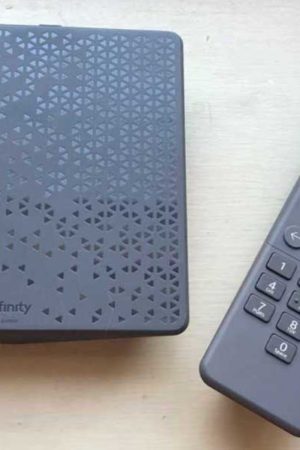
Xfinity Flex includes the box, the remote, a power cable, and an HDMI cable. So it’s ready to go right out of the box.
From the appearance, Flex’s remote is much closer to a traditional cable or satellite TV remote. The functionality is probably closer to a classic “box receiver” remote as well. This is presumably so the same device will work on the X1 platform as well.
here are just four items included with the device:
Setup is very straight forward – probably even for someone who’s never used streaming devices. That’s because it’s meant to be compatible with your Comcast Internet.
Setup takes just five steps: 1) Connect the power adapter to the back of the Flex receiver; 2) Connect the HDMI cord into the back of the Flex receiver; 3) Connect the power adapter to a nearby power outlet; 4) Connect the HDMI cord to your television; 5) Turn on the Flex receiver with your remote control.
Since the device is already paired with your Xfinity internet account, the Flex automatically connects to your in-home Xfinity Wi-Fi. That cuts down on the setup time pretty substantially.
Now that the Flex is set up and connected to your account, let’s talk about how to navigate the interface.
The first tab on the front page is called Free to Me, and it’s exactly what it sounds like. It’s gonna show content that you can watch for free. In this section you might see thousands of movies and shows available because it’s pulling content from Netflix and Amazon Prime accounts. So it’s not just Xfinity’s free shows. This seems to make viewing much more convenient that typical streaming interfaces.
The next tab, Live TV, pulls channels and content from preloaded apps like Pluto TV and Xumo. These are commercial-supported, free TV apps. You can check out our full review if you want to learn more.
The New tab has new titles from Netflix, Prime Video, YouTube, and now Hulu, but that’s all buried under the new titles you can rent or buy from Xfinity. I don’t hold that against Xfinity, since this is similar to what you would see from similar services, like Amazon Fire.
Music is . . . you know, music. Like video, this will pull from services you link up (YouTube, Amazon Music, etc.). I found myself drifting toward video content here as well, since I could watch music videos from YouTube, which was pretty cool.
The last tab, Today, gives you what you might expect: weather and news, politics, celebrity gossip, late-night roundups, and so on. But this is also where you can go if you are deeply embedded in the Xfinity ecosystem.
Xfinity customers will find that you can do more than just stream TV with the Flex.
If you rent Xfinity’s XFi to serve as your router and Wi-Fi device, you’ll be able to personalize your Wi-Fi network with your Flex remote control. It gives you access to information like how much data you’ve used, what time of day you’re using the internet the most and a device-by-device analysis of usage that you can monitor and limit with parental controls.
Xfinity subscribers who pay for home security through Xfinity Home can use the Flex to control and monitor settings through their televisions. And with the voice-command remote, you’re able to call up these functions with relative ease.
You also can access a local weather report and curated news stories from the Xfinity Flex menu screen.
It Doesn’t Have Some Popular Live Streaming TV Apps
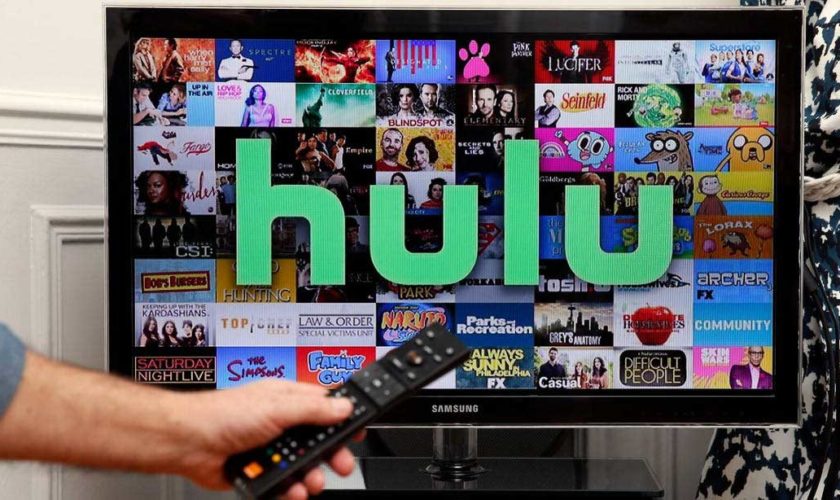
While the Xfinity Flex does let you log in to some of the mainstream video streaming subscription services, such as Netflix and Hulu, it may not allow for live streaming TV subscriptions from a non-Comcast entity.
With the exception of Netflix and Amazon Prime Video, Flex wants all of your subscriptions to run through Xfinity. So instead of paying for any of those apps, like Acorn TV or HBO, directly to the content provider, you can actually sign up so that it will be added on to your Xfinity bill.
You Can’t Add Any Additional Video Streaming Services
At the time of this writing, there is no way to access Apple or Disney+ streaming services via the Xfinity Flex. There’s no Paramount+, no Spotify, and and missing many others. In fact, it’s probably faster to list the apps that it does let you use.
When comparing this to a Roku or Amazon Fire TV device, that’s a major drawback. Both of those allow you to add apps for many of the most popular streaming services. The main attraction of streaming is finding stuff that you never would have known about otherwise. Just browsing around discovering new content.
If you’re already an Xfinity internet-only subscriber, Flex is a no-brainer since there’s no financial obligation. You may find that you like it. You also can get a ton of value from it to monitor all your other Xfinity Services like Xfinity Home Security.
But this device is useless to non-Comcast customers, and it’s hindered by its restrictions for streaming TV apps that are not pre-loaded. For most streaming consumers switching to Xfinity Internet, this is not going to replace a Roku, Amazon Fire or Apple streaming product. So hang on to those.
Read more at:
Reviews.org
Clark.com

By Tom Parker – Reclaimthenet.org – Dec 10, 2020
This time the censorship is so obvious and unabashed censorship we had to share.
In one of its most flagrant election-related censorship moves to date, YouTube has announced that from today, it will start removing any videos alleging that “widespread fraud, errors, or glitches changed the outcome of any past US presidential election.”
(more…)
Everyone’s looking to save money on TV entertainment, and there’s never been a better time to cut the cable cord. Instead of paying upwards of $100 per month for a bloated channel bundle, you can replace it with streaming TV services—and perhaps a TV antenna—at a fraction of the cost.
(more…)